
Why don't Meta and Google sales match your store?
· 8 min read
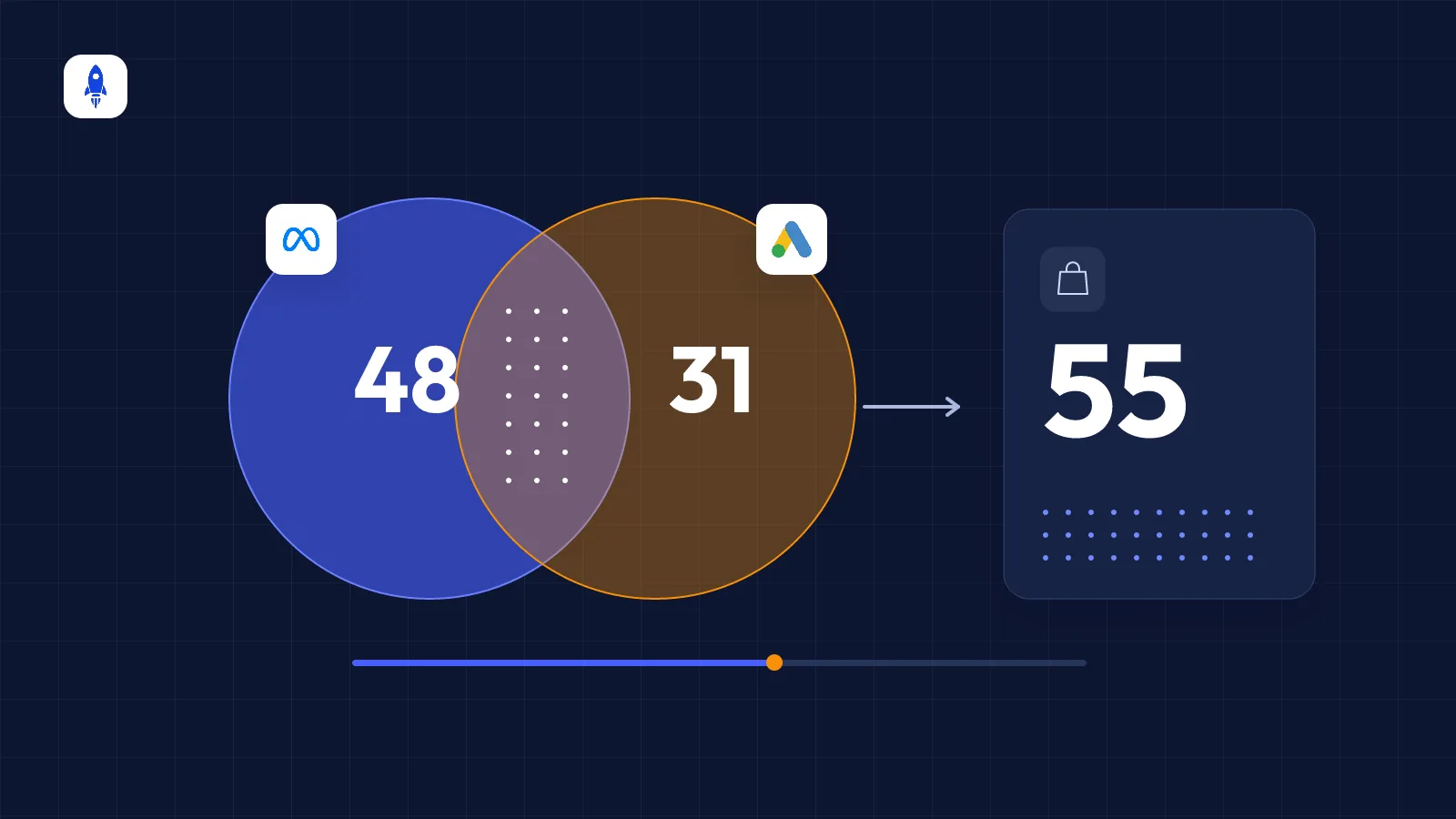
Ad platforms count sales by their own attribution rules; your store counts the orders that actually happened. So a mismatch is usually a measurement difference, not an error — what matters is knowing why it happens and deciding with the right number.
Why does the gap appear?
One morning Meta Ads Manager shows 48 sales for yesterday, Google Ads shows 31, and your store dashboard shows 55 orders in total. 79 sales is impossible — each platform counts its own share and can claim the same order. There are a few well-known reasons behind the gap.
1. Attribution model and attribution window
Each platform allows a certain time to connect a sale to its ad. By default, Meta counts purchases within 7 days of a click and 1 day of a view. In Google Ads, the default conversion window is 30 days. If a customer sees an Instagram ad and the next day searches on Google and buys, both platforms may claim that sale.
2. Date difference: click day vs order day
Ad platforms usually record a conversion on the day of the ad interaction. A customer who clicks on Monday and buys on Wednesday lands on Monday in the ad report and on Wednesday in your store. Over short date ranges this looks like a big gap.
3. View-through conversions
Purchases from people who only saw the ad and later came another way (view-through) can be counted by Meta. These sales exist in your store, but how much the ad contributed is debatable.
4. iOS and browser restrictions
Because of Apple's App Tracking Transparency, ad blockers and cookie restrictions, the browser pixel simply can't see some sales. Platforms try to fill the gap with modelled (estimated) conversions, which can push the number above or below your store's.
5. Returns, cancellations and pending payments
The pixel fires at the moment of purchase; an order cancelled or returned later doesn't drop out of the ad platform. Orders awaiting bank-transfer payment are counted or not depending on your store's reporting rules.
6. VAT, shipping and currency
Is the value sent to the pixel VAT-inclusive? Does it include shipping? Which does your store dashboard show? If these settings differ, revenue won't match even when order counts do.
7. Marketplace and offline sales
Sales on marketplaces such as Trendyol or Hepsiburada, or in your physical store, never reach the ad pixel — even though ads lead people to discover your brand and search for it there. We cover this effect in counting marketplace sales in ad performance.
How much difference is normal?
There's no fixed threshold, but it is expected that store orders are lower than the sum of all ad platforms, because the platforms overlap. Worry when:
- The gap suddenly changes a lot (for example, the pixel disappeared from a page).
- A single platform claims more than your store's total sales.
- The purchase event doesn't fire at all, or fires twice.
In those cases the problem is setup, not attribution — check your pixel and server-side tracking. Our Meta Conversions API guide explains a setup that prevents double counting.
Which number should you decide with?
The two numbers do different jobs:
- Platform data: For comparing campaigns, ad sets and creatives — it answers “which ad works better?”
- Store data: For judging whether the total budget is working — it answers “we spent 200k on ads this month; what did we get?”
A good practical rule: make creative and campaign decisions in the platform, and budget decisions with store revenue. Dividing total revenue by total ad spend (blended ROAS or MER) isn't affected by platform overlap.
How can you narrow the gap?
- Send the purchase event once, from one place. Sending it from the theme, a plugin and a tag manager at the same time causes double counting.
- Set up server-side tracking. The Meta Conversions API and Google's enhanced conversions catch sales the browser misses.
- Align the value definition. Make sure the value sent to the pixel and your store report use the same VAT and shipping definition.
- Use the same date range and time zone. If your ad account's time zone differs from your store's, end-of-day sales shift.
- Compare over at least a week. Daily comparisons are the view most distorted by date shifts.
Seeing ad and store numbers on the same screen, over the same date range, makes the gap far easier to understand. That's why dashboards like CiroFly put platform data next to store and marketplace revenue.
Frequently asked questions
Why does Meta show more sales than my store?+
Meta can also claim view-through sales and sales that overlap with other channels, and cancellations and returns aren't reflected in Meta. So Meta's number can be higher than your store's.
Do Google Ads and Meta both count the same sale?+
Yes. Each platform counts the sale of a customer who interacted with its ad within its own attribution window, so an order from a customer who saw both ads can appear in both.
Which data should I use for budget decisions?+
For overall budget decisions, dividing store and marketplace revenue by total ad spend is more reliable. Platform data is more useful for comparing campaigns and creatives.
When is a data gap a setup error?+
If the gap changes suddenly, a single platform shows more than your store's total sales, or the purchase event doesn't fire or fires twice, check your pixel and server-side setup.
See your ad, store and marketplace data in one dashboard
CiroFly combines your sales and ad channels and updates ROAS, revenue and channel breakdowns automatically every day.
Related articles
How to set an e-commerce ad budget — and split it across channels
A practical method to work out your ad budget backwards from a revenue target, split it between Meta and Google, and know when to scale up or cut back.
What is the Meta Conversions API (CAPI) and why does e-commerce need it?
How the Conversions API captures sales the Meta Pixel misses, how double counting is prevented, Event Match Quality, and what to check when setting it up.

How to calculate ROAS in e-commerce — and what is a good ROAS?
The ROAS formula, how to work out break-even ROAS, how VAT and returns affect it, and how to set a target ROAS for your brand step by step.